How to add iframes
To create responsive iframes in WordPress you need the “Advanced Iframe” plugin for word press. Go to plugins and click “Add New”. Then in the search box search for “Advanced Iframe”. It should look like this:
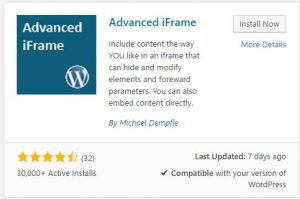
The “Install Now” button, and once the plugin is installed, click the “Activate” button.
Then go to the plugin settings by selecting the settings option on the left-hand menu and select “Advanced Iframe”.
Once on the plugin settings navigate to the “Basic Settings” tab.
Set the URL to the URL of the iframe you wish to display and make sure the width is set to 100% and the height is left blank.
Then navigate to the “Advanced Settings” tab.
Select the “Resize the iframe to the content height/width” drop down
Set the “Resize iframe to content height” checkbox to “Yes”
Your Iframe is now configured, all you need to do is add it to a wordpress page.
Go to pages and add a new page
Then in the page editor click the “Add Advanced Iframe” button

You will then see the iframe code in the text editor. Now save the page and view it on your site. That’s it!