Adding Listings Widget to your WordPress site
To add property listings seamlessly into your WordPress you need the “Advanced Iframe” plugin for word press. Go to plugins and click “Add New”. Then in the search box search for “Advanced Iframe”. It should look like this:
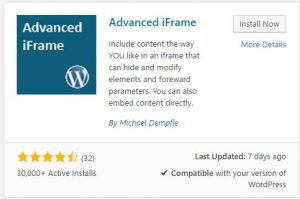
The “Install Now” button, and once the plugin is installed, click the “Activate” button.
Then create/go to the page you want to display the listings on and in the page editor click the “Add Advanced Iframe” button

You will then see the iframe code in the text editor that will look like this:
[advanced_iframe securitykey=”6634256gwf578422twt8464tg32gs4678hdj742s”]Go to the “Text” tab in the editor and paste in the following code just before the closing “]”:
src=”//portal.fab.plus/property/search.aspx?id=3197795″ scrolling=”no” hide_page_until_loaded_external=”true” height=”6000″ enable_external_height_workaround=”true”
Now save the page and your property listings will be shown.